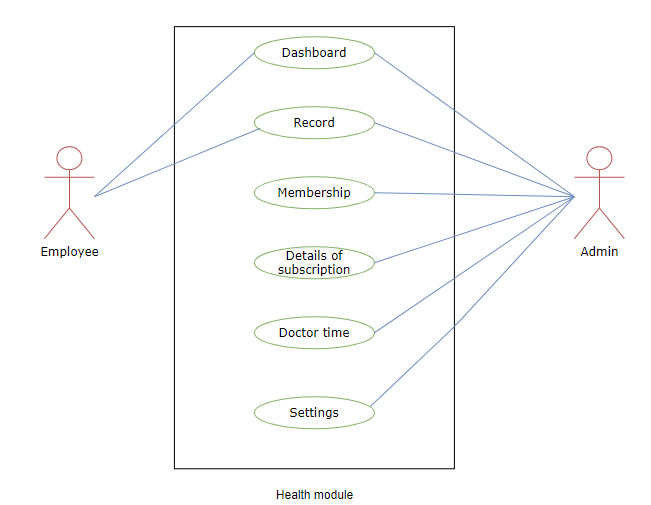
Health Management System
| Document Title | Health Management System Guide |
|---|---|
| Document Number | HMS-001 |
| Version | 2.1.3 |
| Author(s) | Manager, Product |
| Approved by | Senior Manager, Operations |
| Last Update Date | December 30th, 2025 |
Introduction
Health Management refers to the comprehensive administration of healthcare facilities on campus or in colleges affiliated with the University. This module enables employees to visit affiliated hospitals, manage health memberships, book doctor appointments, receive digital prescriptions, and access medical records. It also supports efficient medical stock and dispensary management.
Dashboard
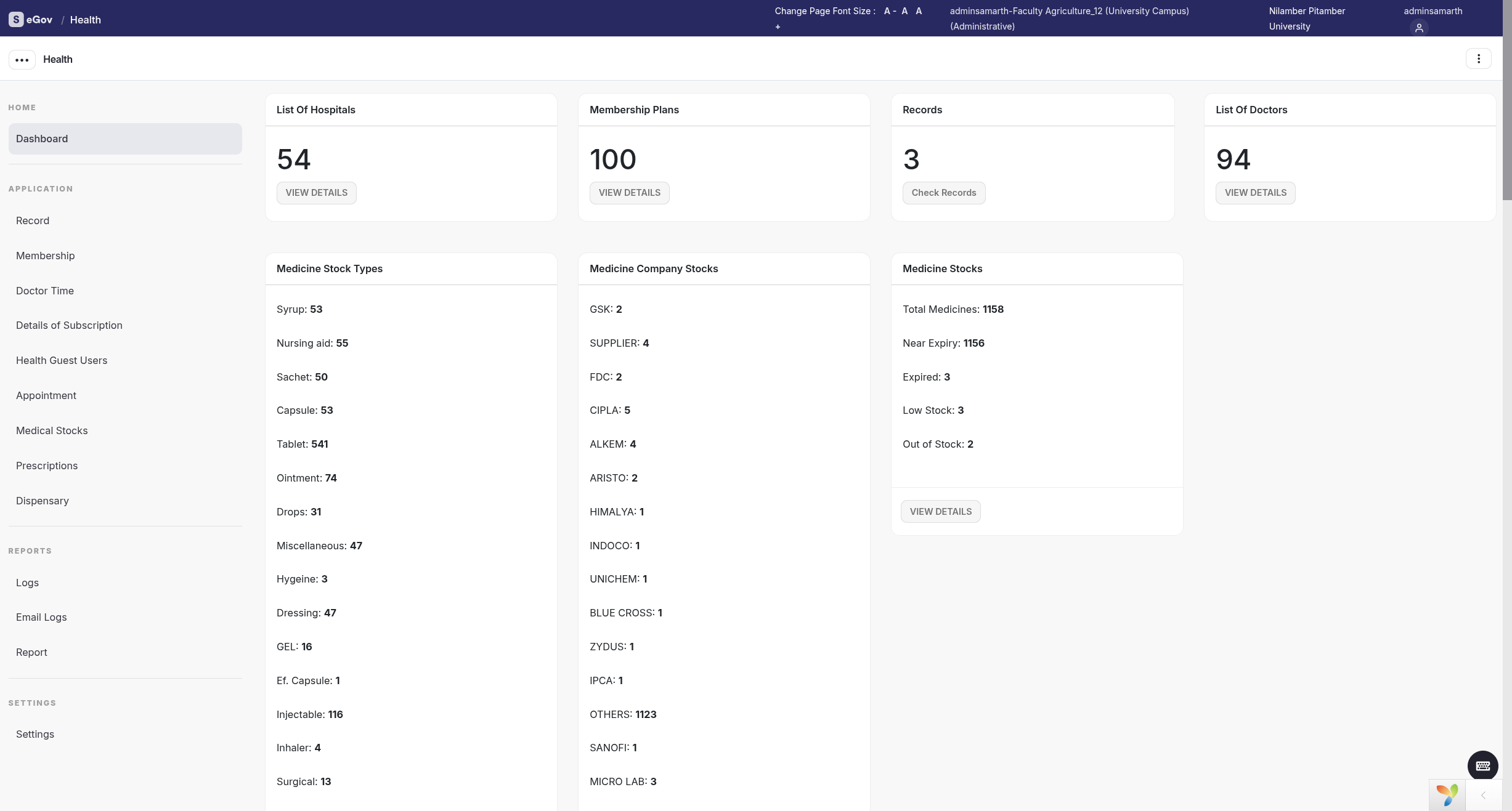
Admin Dashboard
The Admin Dashboard enables administrators to configure health management features including memberships, doctor appointments, prescriptions, medical stock, and dispensary operations. Admins can also manage employee records and memberships.
Employee Dashboard
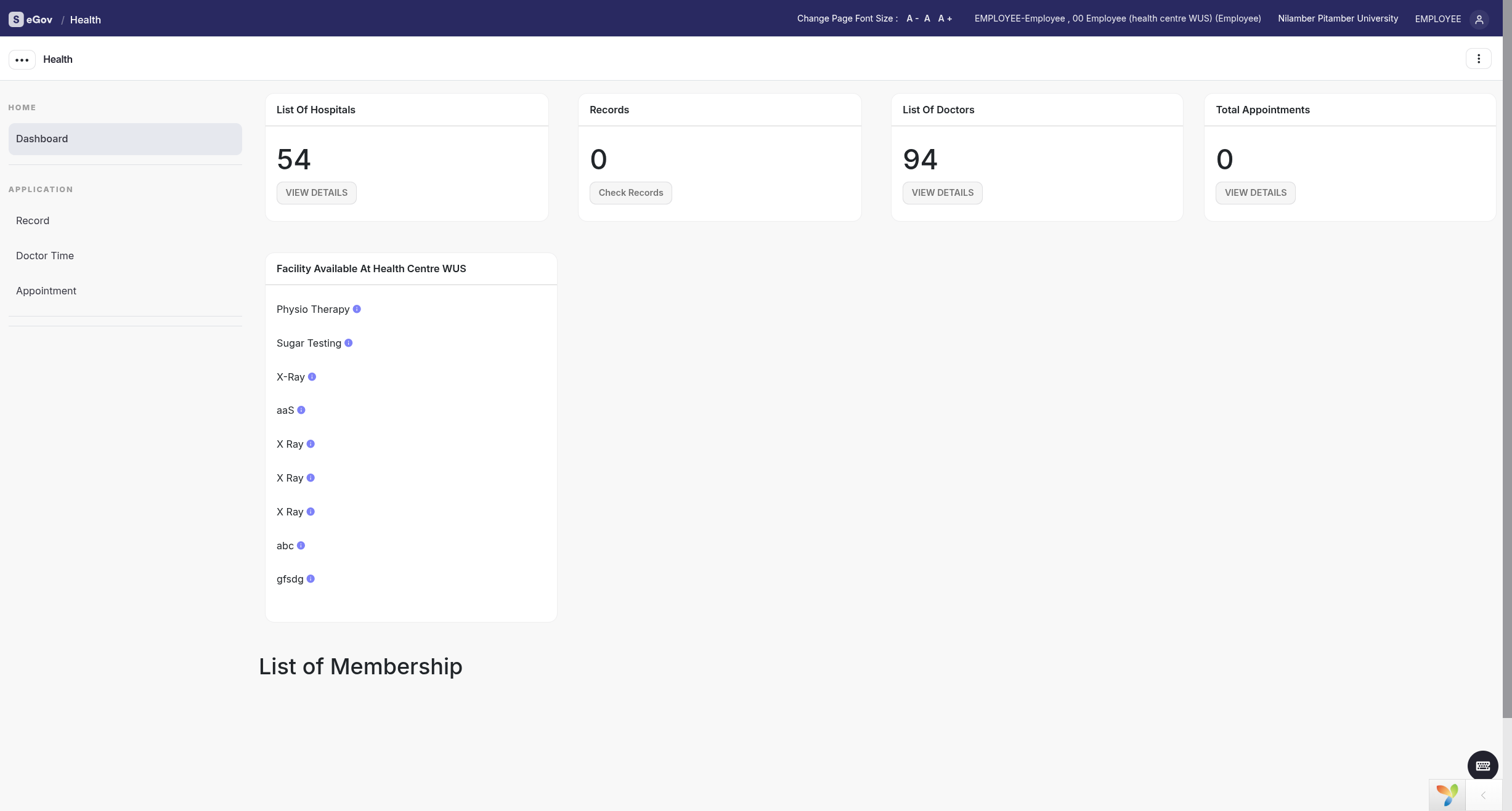
Employees can view health records, memberships, and available facilities.
Settings
This section contains configuration options for the Health module.
Only users with the role health_admin can access this section.
Map Health Center Key
Maps the health center key required to generate the list of health centers.
List of Health Center
Displays all health centers mapped to the health center key.
Admins can view details using the View icon.
Types of Unit
Defines health unit types.
- Add a new unit using Add Unit Type
- Fields include:
- Type
- Description
- Status (Active/Inactive)
- Units can be viewed or edited until submitted
Note: Once submitted, only status can be updated.
Types of Membership
Defines membership offerings.
- Add membership using Add Membership Type
- Fields include:
- Name
- Member Type (Employee/Student)
- Health Center
- Benefits
- Validity Type
- Validity Duration
- Status
- Fee Applicable
Note: Once submitted, only status updates are allowed.
Types of Facility
Defines facilities offered under memberships.
- Add facility using Add Facility
- Fields include:
- Health Center
- Facility Name
- Description
- Status
Note: Changes are not allowed after submission.
List of Hospitals
Manages hospitals affiliated with the University.
- Add hospitals using Add Hospital
- Fields include:
- Name
- Registration Number
- Affiliation
- Unit Type
- Contact Number
- Address
- Status
- Remarks
Details of Doctor
Manages doctor details.
- Add doctors using Add Doctor Details
- Fields include:
- Doctor Type
- Visiting Hours
- Visiting Days
- Specialty
- Status
Bulk import is supported.
Doctor Specialty
Manages doctor specialties.
- Add specialties using Add Specialty Type
- Fields include:
- Specialty
- Description
- Status
Appointment Control
Configures appointment preferences.
- Set patient limits per slot
- Enable or disable online appointments
- Assign doctor preferences
Add Health Record Days
Defines after how many days health records become visible to employees.
Subscribed Membership Only
Restricts employees to viewing only their subscribed memberships.
Referral Templates
Manages referral letter templates.
- Add templates using Add Another Template
- Fields include:
- Name
- Template Body
- Status
Membership Card Templates
Manages membership card templates.
Medicine Brands
Manages medicine brands.
- Supports bulk upload via Excel
Medicine Companies
Manages medicine manufacturers.
Medicine Salts
Manages medicine salts.
Medicine Stock Types
Defines medicine stock categories.
Prescription Codes
Defines prescription codes and dosage information.
Dispensary Control
Controls dispensing permissions.
Prescription Control
Controls prescription display settings.
Record
Admins can monitor health records using filters such as membership number, health center, doctor, and record date.
Employees can view their records via their dashboard.
Add Record
Admins can add records including prescriptions, facilities availed, and referrals.
Note: Records cannot be modified after submission.
Membership
Employees can apply for memberships, and admins can assign memberships on their behalf.
Add Membership
Admins can allocate memberships offline.
Subscribe
Employees can enroll themselves.
Print Card
Membership cards can be printed.
Cancel
Active memberships cannot be modified once cancelled.
Map Employee Dependents with the Membership
Admins can map dependents to memberships.
Add Dependents
Fields include name, relation, gender, and date of birth.
Doctor Time
Displays doctor availability by specialty.
Employees can book appointments accordingly.
Medical Stock
Manages inventory across health centers.
- Supports bulk uploads
- Tracks expiry and critical thresholds
Prescription
Manages medical prescriptions linked to health records.
Dispensary
Manages dispensed medicines.
Details of Subscription
Tracks paid membership subscriptions.
Logs
Displays system activity logs.
Reports
Available reports include:
- Membership Type Report
- Membership Report
- Membership Subscription Report
- Health Record Report
- Membership Expiry Report
- Membership Dependents Report
All reports support CSV and PDF export.
Annexure
Roles
| Role Name | Description |
|---|---|
| health_admin | Full configuration and monitoring access |
| health_view | Read-only access to health records |
| health_administrator | Responsible for health record operations |
| health-head | Department-level management |
| health-super-head | Parent department management |
| employee-health | Employee access |
Workflow Diagrams
Activity Diagram
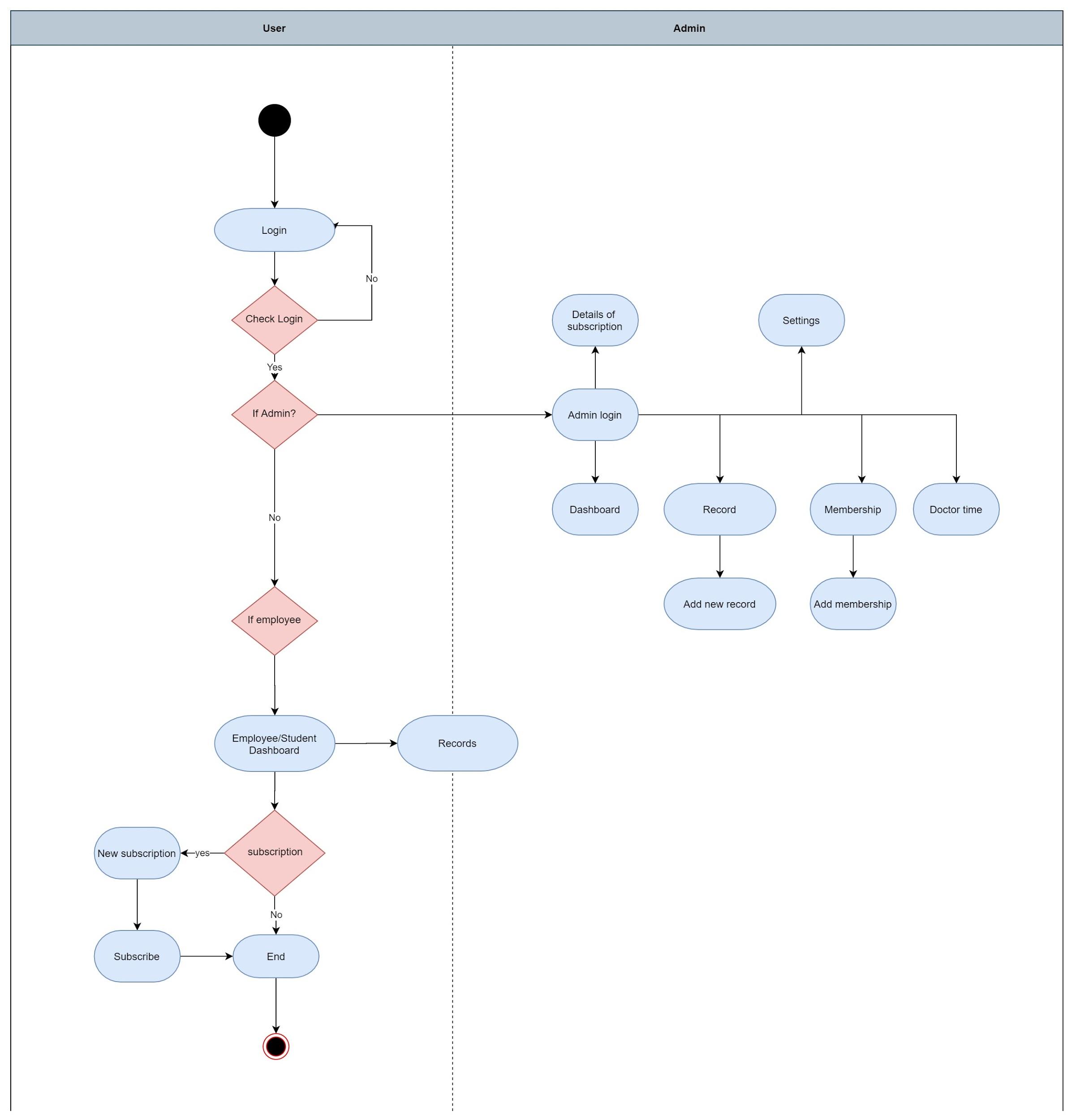
Use Case Diagram